Tutorial
Measure angles in photos
For a phone snapshot, a worksheet photo, or a scan — not a PDF page or a known-length scale.
This walkthrough is for photographs. If you have never used the tool, start with how to use. Files stay in the browser; there is no account.
1. Take or choose a square-on photo
Stand so the camera is facing the plane of the angle, not looking along it. Perspective is the error zoom cannot fix. Prefer a sharp corner over a wide, blurry one.
2. Load it locally
On the homepage tool, choose the file, drop it, or paste a screenshot. You can try the bundled Right angle sample first. The image is not uploaded.
3. Put the vertex on the subject, not the shadow
Select Angle. Click the actual corner of the object or printed line — not a drop shadow, highlight, or anti-aliased fringe. Thick marker lines: pick one consistent edge (inner or outer) and stay on it.
4. Place long rays along the real edges
Click far along each side, following the edge you care about rather than a nearby shadow. Short rays make ± look worse than the photo supports.
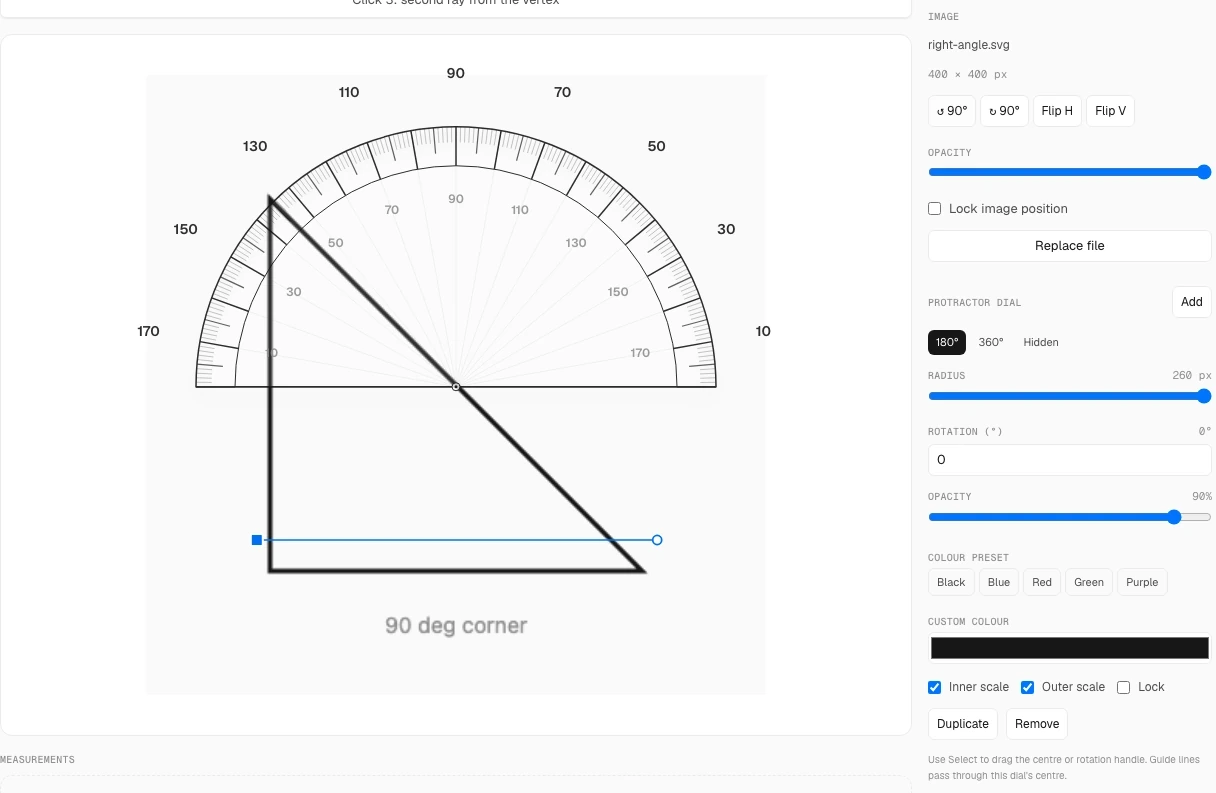
5. Zoom and nudge
Pinch or use + to zoom, then drag handles or arrow-nudge. Shift+arrows move one pixel. That is how you get the tightest reading the photo can support.
6. Read ± as a check, not a grade
The ± next to the angle is computed from your rays and zoom. If it stays large after long rays and zoom, the photo is the limit — blur, JPEG mush, or an oblique camera. Details:accuracy and limits.
Common mistakes
- Vertex on a shadow or a thick outline instead of the physical corner.
- Photograph taken from the side so the angle is foreshortened.
- Ray points parked next to the vertex “to be precise” — that does the opposite.